Tianchen Xu
MODULE 2
Flatness vs. Projection
Brainstorm, Elements, and Mario World Plan
Brainstorming is the first and most important of this assignment. It involves thinking about how two elevations of Mario interact with each other and generating many ideas about what does the Mario world look like. So I spent several days choosing basic elements and considering the style of my Mario World. After selecting blocks, I decided to draw the basic plan view (1a) according to two elevations of Mario provided. In my opinion, the advantages of drawing the plan view are getting accurate width of each object and determine the exact position of each object in their “tracks”. What's more, I can decide the length of each block (1b).

1a. Scanned image of the hand-drawn plan view of Mario World

1b. How to draw a plan view of Mario World
After selecting six basic elements from the pictures given, I started to draw an axonometric drawing of each element. Drawing of blocks can give me initial thoughts about the Mario World's colour and further works. I also did digital work of elements in Illustrator and coloured them in different values of the same colour, making them have stereoscopic visions (1c).

1c. Six elements from Mario World
Creation of Mario World

2a

2b

2c
2. The process of creating Mario World 2a. The hand-drawn line work of Mario World 2b. The digital line work of Mario World 2c. Parts of coloured Mario World
After drawing the plan view of Mario World, the next step is to work on the axonometric drawing of Mario World according to the drawing of the plan view (2a). The most important thing is to ensure that the plan view is on a 45-degree angle in order to get correct positions of objects in the axonometric drawing temporarily. During the drawing, I kept adjusting the position of each object in their "tracks". Besides the positions, I measured the exact height of each block.
Moreover, how to reveal the hidden space in the Mario World that is opened to view is a very creative work. Since these spaces are invisible in the pictures given, I needed to create or plan what should be there. In order to make the whole Mario World have more sense of space and unity, I decided to use the basic elements to fill these spaces but I did some changes in these blocks (e.g. marring some architectural elements with blocks). Apart from the ground layer, I also started to create one layer underground. At this stage, I drew inspiration from ancient Roman urban or architectural images (3a).
In addition to these larger hidden spaces, some hidden parts of objects are also visible. I created some detailed things for elements (e.g. the internal structure of the object). To avoid making each object looks too individual, I added the whole new things (like pipes, stairs) into the world to create a sense of connection.
When I finished the hand-drawn line work of Mario World, I found that the whole picture looks very messy due to too many crossed lines. I erased some lines that cannot be seen to make the drawing clear and neat.

3a
.jpg)
3b


3c
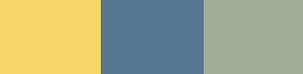
3. Sources of inspiration 3a. Pont du Gard, an ancient Roman aqueduct 3b. Scene from the tomb of Tutankhamun and its colour palette 3c. Painted panel of Tatiaset and its colour palette
The next step is tracing the line work of Mario World in Illustrator by using hand-drawn line work. I fixed some problems of my hand drawing and one of them is modifying the deviation of the angle. During drawing, I made the angle wrong in the drawing since T-ruler was not placed correctly. In Illustrator, it is easy to make every line in the correct angle (45 degrees or 135 degrees) and then it can make the whole work look correct. Another problem is some axonometric drawings of round objects are slightly wrong. So I tried to make them correct. Moreover, I did some changes to the original work. Because there are so many objects that have similar structure and shape, I used two layers to trace different parts of Mario world. What’s more, I used two different colours to trace the outlines of objects to keep my line work looks clean and neat (2b).
After finishing all the tracing work, I started to colour each object (2c). This step looks very easy but in fact, it is tough work. I needed to choose colours that they can combine in harmony and unity. Due to the theme of the original pictures of Mario, the world sets in the desert and then I drew inspiration from ancient Egyptian urban images or artworks (3a & 3b) for colouring. So I decided to choose blue, red, and green from the Egyptian wall painting to colour one wall in the Mario World.
Because there are so many green objects in the Mario World, I used different green to colour these objects to show the diversity of the world.
Moreover, I needed to use gradients and shadows to make objects have stereoscopic visions. When all the elements are coloured, I found the picture looks more lovely but some parts of the picture still need to improve.
Mario World and Conclusion

4. The whole view of Mario World
From my point of view, the themes of this module are teaching us how to transfer from the flatness to the three-dimensional plane and how to think in a stereoscopic way. The most creative thing for me is how two elevations of Mario interact with each other and then form the whole Mario World. What's more, I need to show my own ideas about the revealing of the hidden space in the Mario World that is opened to view. The ideas about the creation of the Mario World need to have a sense of unity, harmony, and three-dimensional. I also understand the relationship among shape, colour, and position.
As the Father of the World, I can reflect my ideas on the world. Although this project is tough and time-consuming, I enjoyed the process of creation of the Mario World although this project is tough and time-consuming.